In the modern tech landscape of 2026, our smartphones have become more powerful than the desktop computers of a decade ago. We use them for everything from AI-driven photography to high-speed 5G gaming. However, this massive jump in performance comes with two persistent enemies: Heat and Battery Depletion.
For users in Cambodia and other tropical regions, these issues are amplified by high ambient temperatures. If your phone feels like a hot brick in your pocket or drops 20% in the blink of an eye, you aren’t alone. Here at Mobile Studio 24h, we’ve analyzed the most common causes and curated a definitive guide to keeping your device cool and your battery full.
1. The Digital Sunburn: Environmental Factors
In 2026, mobile processors are designed to handle high workloads, but they struggle when the external temperature exceeds 35°C (95°F). In Cambodia, where temperatures often climb higher, your phone’s passive cooling system can easily become overwhelmed.
- Direct Sunlight: Never leave your phone on a car dashboard or near a window. Direct UV rays hit the screen and the black internal components, causing a rapid thermal spike.
- The “Pocket Oven”: Tight clothing prevents air from circulating around your device. If you are outdoors in the heat, try to keep your phone in a loose bag or a shaded area.
- Thermal Throttling: When a phone gets too hot, it intentionally slows down its own performance to protect the hardware. If your phone feels “laggy” while it’s hot, that’s your processor trying to save itself from melting.
2. Charging Habits: The “Silent Killer”
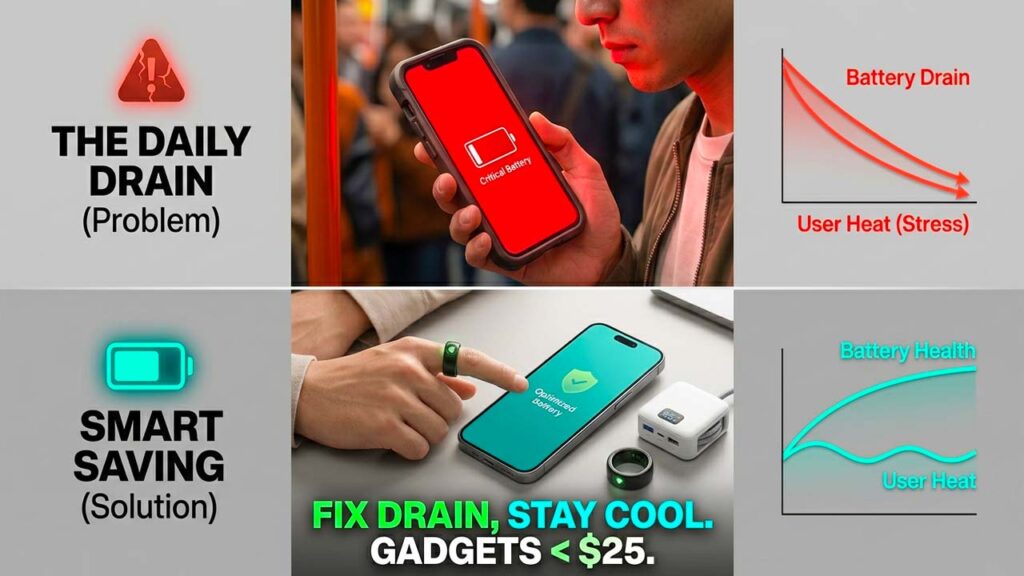
Charging is a chemical process that naturally generates heat. When you combine that heat with active usage, you create a “thermal loop” that significantly degrades battery health over time.
- The “Gaming While Charging” Trap: This is the most common cause of battery swelling in 2026. Playing high-fidelity games while plugged into a fast charger forces the battery to discharge and charge simultaneously at high rates. This generates extreme internal temperatures.
- Case Insulation: Many modern protective cases are made of thick silicone or rugged plastic that acts like a thermal blanket. If you notice your phone getting hot during a charge, remove the case. Let the back of the phone dissipate heat into the air.
- High-Wattage Stress: While 100W+ charging is common in 2026, it puts more stress on the battery than a slow 20W charge. If you are charging overnight, use a slower charger or enable “Optimized Battery Charging” in your settings.
3. Background AI and Ghost Syncing
In 2026, almost every app uses some form of AI or background syncing. These processes are “silent” but require constant CPU cycles, which keeps the phone warm even when the screen is off.
- AI Indexing: When you take hundreds of photos or download new software, your phone’s AI starts “indexing” (sorting) that data. This is a heavy task. If you’ve just performed a major update, give the phone a few hours to finish its background work.
- The Telegram/Social Media Cache: Apps like Telegram and Facebook are notorious for downloading large amounts of data in the background. Go to your app settings and limit “Background App Refresh” to only the essentials.
- 5G Search: If you are in an area with a weak 5G signal, your phone will “crank up” its radio power to find a connection. This is a massive battery drain. If the signal is poor, manually switch to 4G/LTE to save power and keep the phone cool.
4. Software Bugs and Rogue Processes
Sometimes, a single line of bad code in a third-party app can cause a “runaway process.” This is when an app gets stuck in a loop, consuming 100% of the CPU power for no reason.
- Check the Statistics: Both iOS and Android have detailed battery usage menus. Look for any app that shows a high percentage of battery usage even though you haven’t opened it.
- The “Restart” Cure: It sounds simple, but a weekly restart clears the system cache and kills any stuck background processes. It is the easiest way to reset your thermal baseline.
- Update Everything: Developers constantly release patches to optimize battery efficiency. If you are running a version of an app from six months ago, you are likely missing out on critical energy-saving fixes.
5. Hardware Health: When to Say Goodbye
Even with perfect habits, lithium-ion batteries are consumable items. They have a limited number of “cycles” before the chemistry begins to fail.
- Internal Resistance: As a battery ages, its internal resistance increases. This means it has to work harder (and generate more heat) to provide the same amount of power.
- The 80% Rule: Most experts agree that once your “Battery Health” falls below 80%, the device will struggle to maintain peak performance and will be prone to overheating. In 2026, most flagship batteries should reach this point after about 3 to 4 years of typical use.
Conclusion: Pro-Tips for a Cool Phone
Keeping your phone healthy in 2026 doesn’t require a degree in engineering—just a few smart habits.
- Lower your brightness: Your screen is a giant heater.
- Use Dark Mode: On OLED screens, black pixels are “off,” which saves energy and reduces heat.
- Use Power Saving Mode: Don’t wait for 10% to turn it on; if you know you’re going to be out in the sun all day, turn it on at 80%.
- Listen to the Warnings: if your phone says “Temperature Too High,” it means it. Turn it off immediately.
At Mobile Studio 24h, we believe that your tech should serve you, not stress you. By following these steps, you can extend your phone’s lifespan and avoid the frustration of a dead battery in the middle of your day.