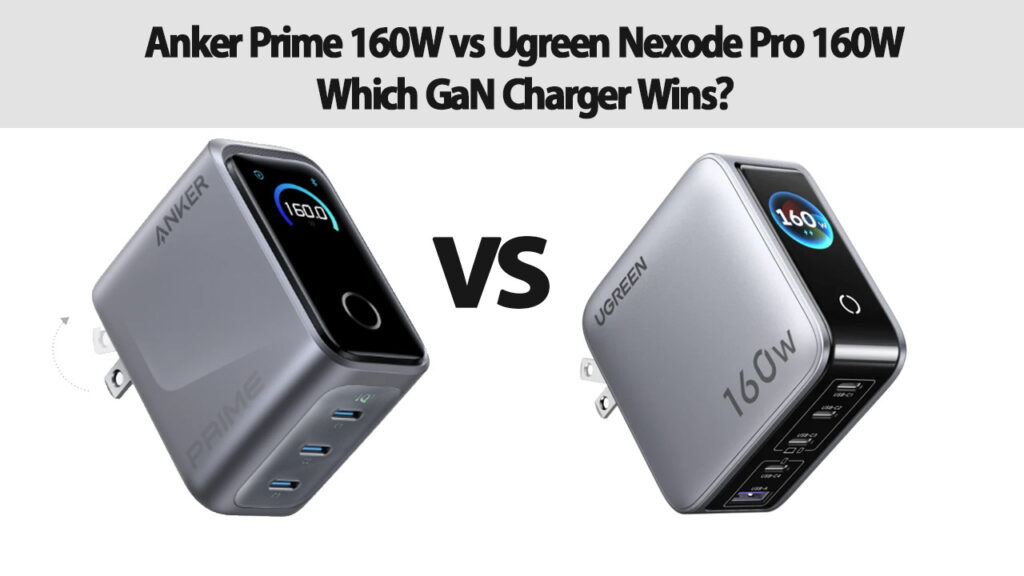
For content creators, digital nomads, and tech enthusiasts who manage a multi-device ecosystem—such as modern high-end laptops, tablets, flagship smartphones, and wireless audio gear—a single, high-output wall charger is no longer a luxury; it is a vital necessity. Carrying multiple bulky OEM power bricks for each device creates unnecessary clutter and adds weight to travel setups.
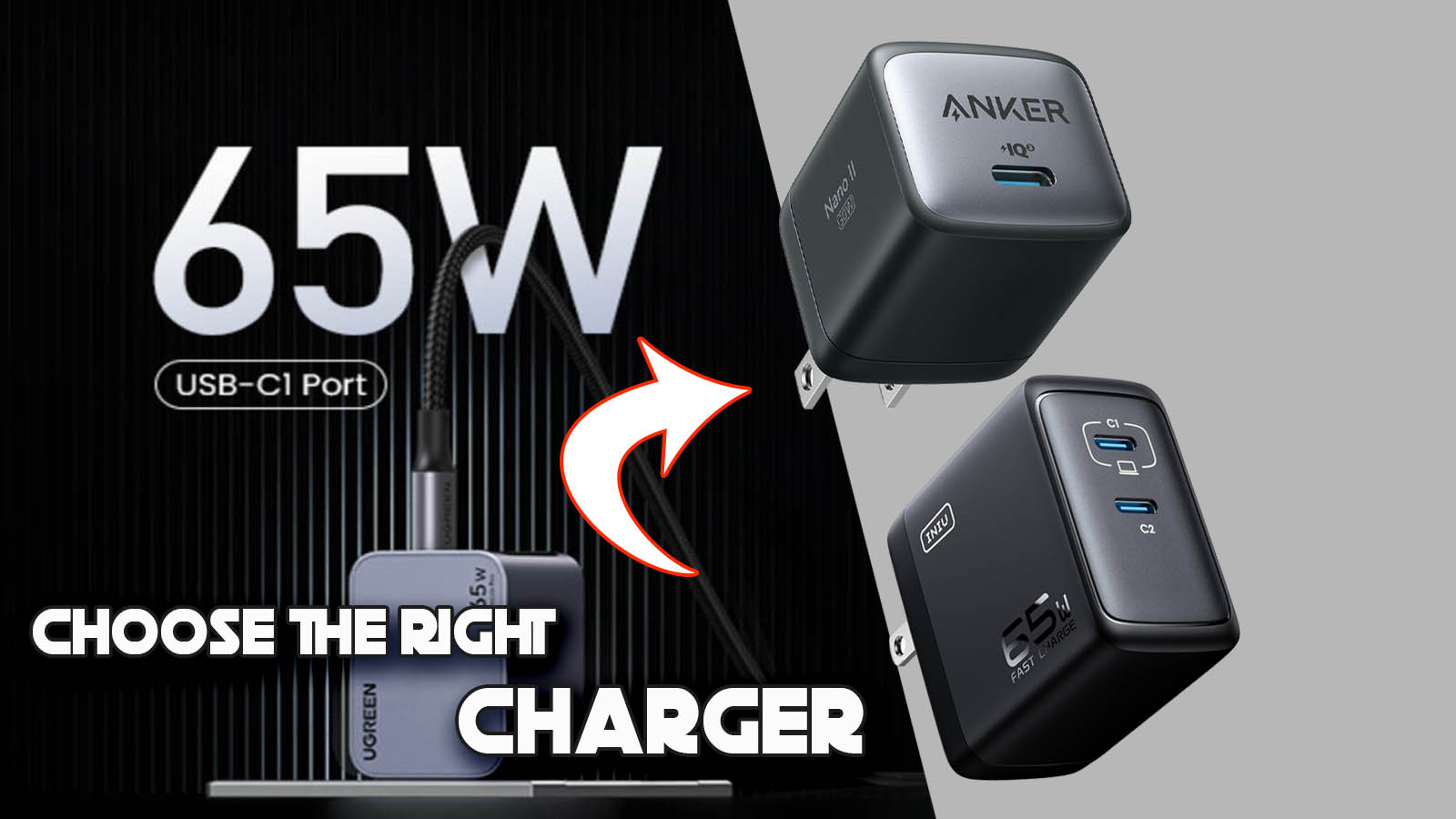
Gallium Nitride (GaN) technology has transformed power delivery by allowing high-wattage power supplies to fit into compact form factors while maintaining thermal efficiency. In the 160W tier, two primary contenders stand out: the Anker Prime 160W and the Ugreen Nexode Pro 160W.
Both chargers deliver enough total throughput to power a full-sized workstation, yet they diverge significantly in industrial design, intelligent power distribution, thermal management, and price-to-performance ratio. This comprehensive review analyzes how these two flagship chargers compare across all critical operational metrics to help you determine the best option for your workflow.
Technical Specifications Matrix
| Feature / Spec | Anker Prime 160W | Ugreen Nexode Pro 160W |
| Total Max Output | 160W | 160W |
| Total USB Ports | 3 Ports (2× USB-C, 1× USB-A) | 4 Ports (3× USB-C, 1× USB-A) |
| Single-Port Max Output | 140W (USB-C1 or C2) | 140W (USB-C1) |
| GaN Tech Generation | GaNPrime™ (proprietary architecture) | AirPyra™ Tech (GaN Fast / Nexode Pro) |
| Display / UI | Smart LCD Screen (Real-time W, V, A) | LED Indicator Light |
| Fast Charging Protocols | PD 3.1, PPS, QC 4.0+, SCP, AFC | PD 3.1, PPS, QC 4.0+, QC 3.0, FCP, SCP |
| Thermal Protection | ActiveShield™ 2.0 (3.0M checks/day) | Thermal Guard™ System |
| Folding Plug | Yes (US/EU variant dependent) | Yes (US/EU variant dependent) |
| Primary Focus | Smart Monitoring & Compact Power | Port Versatility & Value-Driven Power |
1. Industrial Design, Build Quality, and Portability
When evaluating high-capacity desktop and travel chargers, physical dimensions and weight distribution are as important as total output.
Anker Prime 160W: High-Tech Aesthetic with Integrated Telemetry
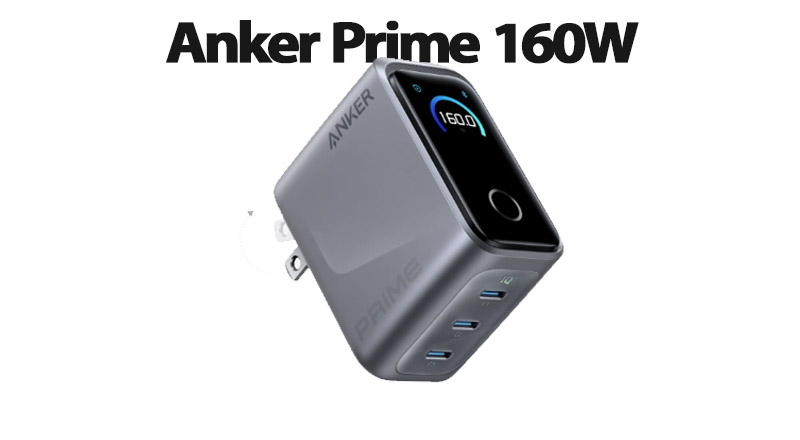
Anker has styled its Prime lineup with a dark metallic-grey finish and textured side panels that project a premium look. The standout physical feature of the Anker Prime 160W is its built-in Smart LCD Display. This display provides real-time telemetry, showing total power output alongside per-port wattage breakdown, current (Amps), and voltage (Volts). For power users and tech reviewers who need to verify fast-charging rates or test cable performance, this built-in power meter eliminates the need for external inline USB testers.
In terms of form factor, Anker uses a dense vertical column design. While slightly heavier in hand due to internal heatsinking and the display module, its footprint on a power strip or wall outlet is compact, minimizing obstruction of adjacent outlets.
Ugreen Nexode Pro 160W: Sleek, Flat Profile with Maximum Port Utility
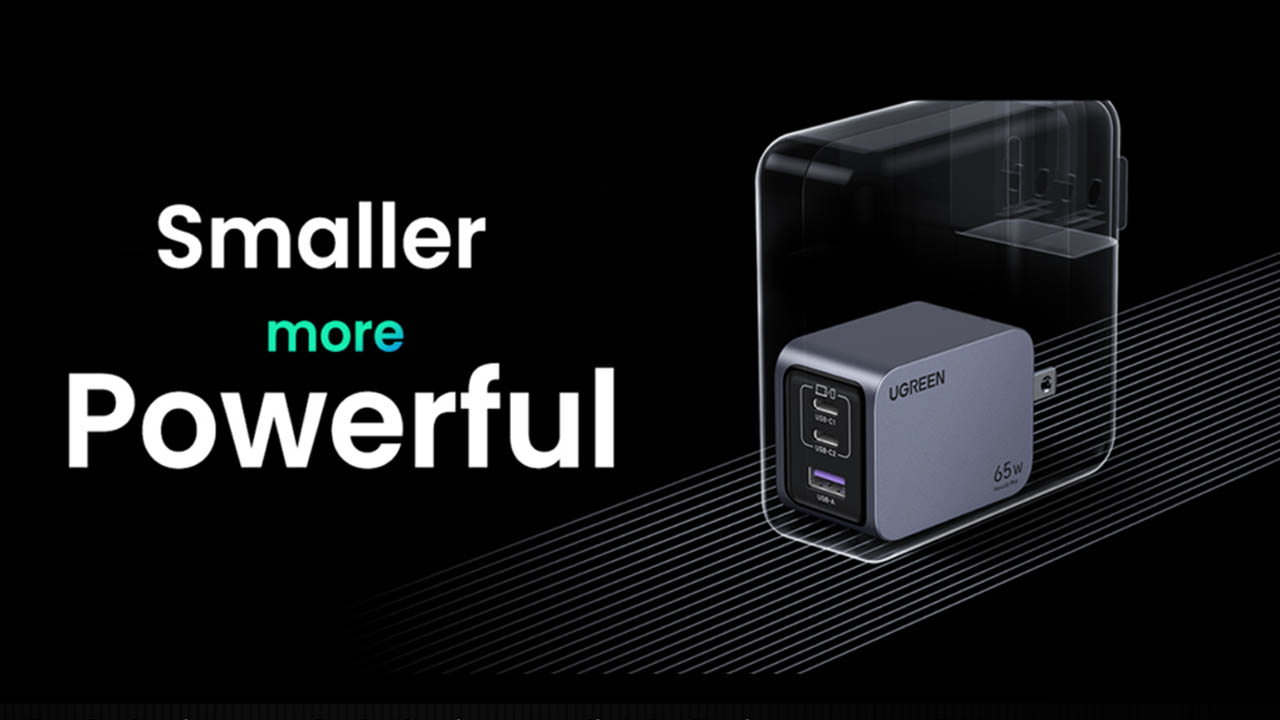
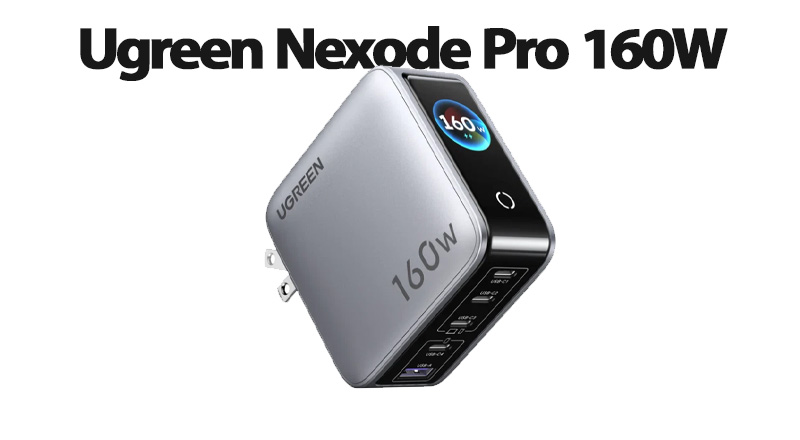
Ugreen’s Nexode Pro line utilizes its proprietary AirPyra™ stacking architecture, which reduces internal component clearance without compromising heat dissipation. The device features a matte metallic-silver finish with a rounded, low-profile body. Unlike Anker’s vertical block, Ugreen adopts a slightly flatter, horizontal orientation that sits low against wall outlets, making it less prone to slipping out of worn hotel sockets.
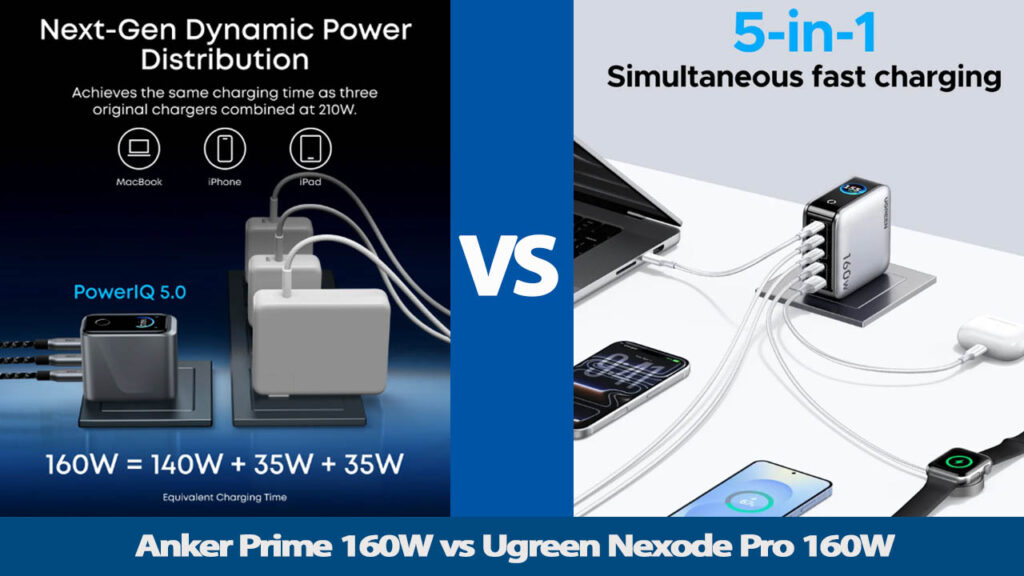
Instead of an LCD display, Ugreen opts for a single LED status indicator. The key advantage in physical configuration is the port selection: Ugreen equips the Nexode Pro 160W with four ports (3× USB-C, 1× USB-A), compared to Anker’s three ports (2× USB-C, 1× USB-A).
2. Port Configuration & Power Distribution Dynamics
While both devices are rated at a peak combined capacity of 160 Watts, their port layouts dictate how effectively they handle complex multi-device charging scenarios.
Single-Port Performance (PD 3.1 140W Standard)
Both chargers support the USB Power Delivery 3.1 (PD 3.1) Extended Power Range (EPR) standard, allowing them to output up to 140W (28V / 5A) through a single USB-C port using an EPR-rated 240W cable. This rating allows both chargers to fast-charge high-draw laptops like the 16-inch MacBook Pro from 0% to 50% in roughly 28–30 minutes.
- Anker Prime 160W Flexibility: Either of Anker’s two USB-C ports (C1 or C2) can independently deliver the full 140W output when used alone. You do not need to check port labels before plugging in a single device.
- Ugreen Nexode Pro 160W Hierarchy: Ugreen reserves the full 140W output exclusively for the USB-C1 port. USB-C2 tops out at 100W, and USB-C3 offers a maximum of 30W.
Dual Laptop Setup
If you connect two laptops simultaneously (e.g., a MacBook Pro and a Dell XPS):
- Both chargers split the load efficiently by providing 100W to the primary USB-C port and 60W to the secondary USB-C port, reaching the full 160W combined output.
Three-to-Four Device Workstation Setup
This is where the structural differences become clear:
- Anker Prime 160W: With three ports, connecting a primary laptop (100W), a tablet/phone (30W), and a legacy accessory via USB-A (22.5W) uses all available outputs. However, if you need to charge three USB-C devices simultaneously (e.g., laptop, tablet, phone), Anker requires using a USB-A-to-C adapter or swapping cables.
- Ugreen Nexode Pro 160W: The fourth port offers broader versatility. It can simultaneously power two laptops at 65W each, a tablet at 30W via USB-C3, and a smart ring, watch, or lavalier mic receiver via the USB-A port. For creators managing multiple USB-C accessories alongside a primary computer, Ugreen’s setup reduces the need for secondary wall adapters.
3. Fast-Charging Protocol Support & Compatibility
Power delivery relies on software negotiation between the charger and the connected device. A charger must support the correct proprietary or open protocols to achieve maximum charging rates.
Universal Protocols (PD 3.1 & PPS)
Both chargers support standard USB-PD 3.1 as well as Programmable Power Supply (PPS). PPS is essential for fast-charging modern Android flagship devices, such as Samsung’s Galaxy Ultra series (which require 45W PPS at high amperage) and smartphones from Google, Motorola, and Honor.
- Samsung Super Fast Charging 2.0 (45W): Both chargers successfully trigger 45W SFC 2.0 charging via their primary USB-C ports, provided a 5A-rated cable is used.
- Apple Fast Charging: Full fast-charging speeds are supported across all iPhone, iPad, and MacBook models on both units.
Legacy and Proprietary Protocols
- Ugreen Nexode Pro: Includes broad protocol support covering Quick Charge 4.0+/3.0, Huawei FCP/SCP, and AFC. This makes it compatible with older Android hardware and specialized tech accessories.
- Anker Prime: Uses Anker’s PowerIQ 4.0 technology. PowerIQ dynamically detects connected hardware protocols and adjusts output voltage on the fly, while supporting QC, SCP, and PD standards seamlessly.
4. Thermal Performance, Efficiency, and Safety Features
Handling 160W of high-density energy inside a compact enclosure generates substantial heat. Thermal mitigation is vital to prevent thermal throttling, extend charger longevity, and protect battery health.
Anker ActiveShield™ 2.0
Anker equips the Prime 160W with ActiveShield™ 2.0, an active thermal management architecture that measures internal component temperatures millions of times per day.
- Dynamic Load Adjusting: If ambient room temperatures are high, ActiveShield automatically adjusts output wattage to keep the casing below safety thresholds rather than cutting power entirely.
- GaNPrime Efficiency: By utilizing stacked circuit boards and custom transformer coils, Anker maintains high power conversion efficiency, minimizing energy wasted as thermal dissipation.
Ugreen Thermal Guard™ & AirPyra™ Construction
Ugreen combats heat using its Thermal Guard™ system combined with custom internal thermal pads and stacked copper plates.
- Heat Dissipation: Under full 160W sustained load testing over extended periods, the Nexode Pro’s larger surface area distributes internal heat across a wider plane. While the casing becomes noticeably warm during prolonged 140W+ output sessions, it remains within safe operating parameters and avoids thermal shutdown.
5. Practical Workflow Scenarios
To help determine which unit best fits your daily routing, consider these real-world use cases:
Scenario A: The Tech Reviewer, Power User, or Mobile Studio Creator
- Primary Need: On-the-go telemetry, premium build quality, and high power density.
- Best Choice: Anker Prime 160W
- Why: The integrated LCD screen provides instant visual confirmation of charging speeds, power negotiation, and health across connected devices. The ability to pull 140W from either USB-C port reduces friction during rapid gear setups.
Scenario B: The Multi-Device Digital Nomad or Travel Creator
- Primary Need: Maximum port density to charge a laptop, tablet, camera batteries, and audio receivers simultaneously from a single wall outlet.
- Best Choice: Ugreen Nexode Pro 160W
- Why: The inclusion of three USB-C ports and one USB-A port allows for full workstation charging without requiring extra wall adapters. The slimmer, flatter design also makes it easier to pack into camera bags and travel pouches.
6. Pros and Cons Summary
Anker Prime 160W
Pros:
- Real-time Telemetry: Built-in Smart LCD Screen provides precise live wattage, voltage, and amperage tracking for all connected devices.
- Dual 140W Capability: Both USB-C ports (C1 and C2) independently support the maximum 140W PD 3.1 output when used individually.
- Advanced Thermal Protection: ActiveShield™ 2.0 actively monitors temperatures millions of times per day to prevent overheating.
- Compact Footprint: Dense vertical column layout minimizes socket obstruction on crowded power strips.
Cons:
- Fewer Ports: Limited to 3 ports total (2× USB-C, 1× USB-A), which can be limiting for creators with 4+ simultaneous USB-C gear requirements.
- Higher Price Point: Command a premium price due to the integrated display module and proprietary GaNPrime™ architecture.
Ugreen Nexode Pro 160W
Pros:
- Greater Port Density: Includes 4 ports (3× USB-C, 1× USB-A), allowing simultaneous charging of a laptop, tablet, phone, and accessory.
- Slim & Stable Profile: Flat AirPyra™ design sits flush against wall outlets, making it less prone to slipping out of worn sockets.
- Broad Protocol Support: Excellent multi-device legacy and fast-charging compatibility across Apple, Android, and accessory brands.
- High Value: Offers competitive 160W combined output and 4 ports at a lower price point.
Cons:
- Single 140W Port: Only USB-C1 supports the full 140W PD 3.1 output; USB-C2 is capped at 100W maximum.
- No Telemetry Display: Relies on a standard LED status indicator rather than real-time power metrics.
Final Verdict: Which 160W GaN Charger Should You Choose?
Both the Anker Prime 160W and the Ugreen Nexode Pro 160W represent the top tier of modern Gallium Nitride power delivery. Neither unit compromises on safety, build quality, or peak power output, making either a reliable power hub for flagship hardware.
Choose the Ugreen Nexode Pro 160W if you require maximum port availability (4 ports) to eliminate secondary power bricks entirely, prefer a low-profile footprint, and want a versatile, cost-effective solution for multi-device travel setups.
Choose the Anker Prime 160W if you prioritize real-time display telemetry, equal 140W capability on both USB-C ports, and Anker’s ActiveShield™ 2.0 safety technology. It is designed for users who want precise monitoring of their power flow in a dense, high-tech package.
FAQ
Q1: Can both of these chargers charge a 16-inch MacBook Pro at maximum speed?
Yes. Both chargers feature a USB-C port supporting the USB PD 3.1 (140W) EPR standard. When paired with a 240W-rated USB-C to MagSafe 3 (or EPR C-to-C) cable, both can fast-charge a 16-inch MacBook Pro from 0% to 50% in roughly 28 to 30 minutes.
Q2: Do these chargers support Samsung Super Fast Charging 2.0 (45W)?
Yes. Both chargers fully support PPS (Programmable Power Supply) and easily output 45W via PPS on their primary USB-C ports to trigger Samsung’s Super Fast Charging 2.0 on Galaxy Ultra models.
Q3: What happens when I plug in or unplug a second device?
Both chargers intelligently redistribute power across ports when devices are added or disconnected. During this brief dynamic power adjustment (usually lasting 1 to 2 seconds), power output may momentarily pause before resuming at the re-allocated wattages.
Q4: Can I use these chargers on international flights and standard outlets?
Yes. Both chargers support universal input voltage (100V–240V ~ 50/60Hz), making them ideal for international travel. You will only need a simple plug adapter if traveling to regions with different socket types.