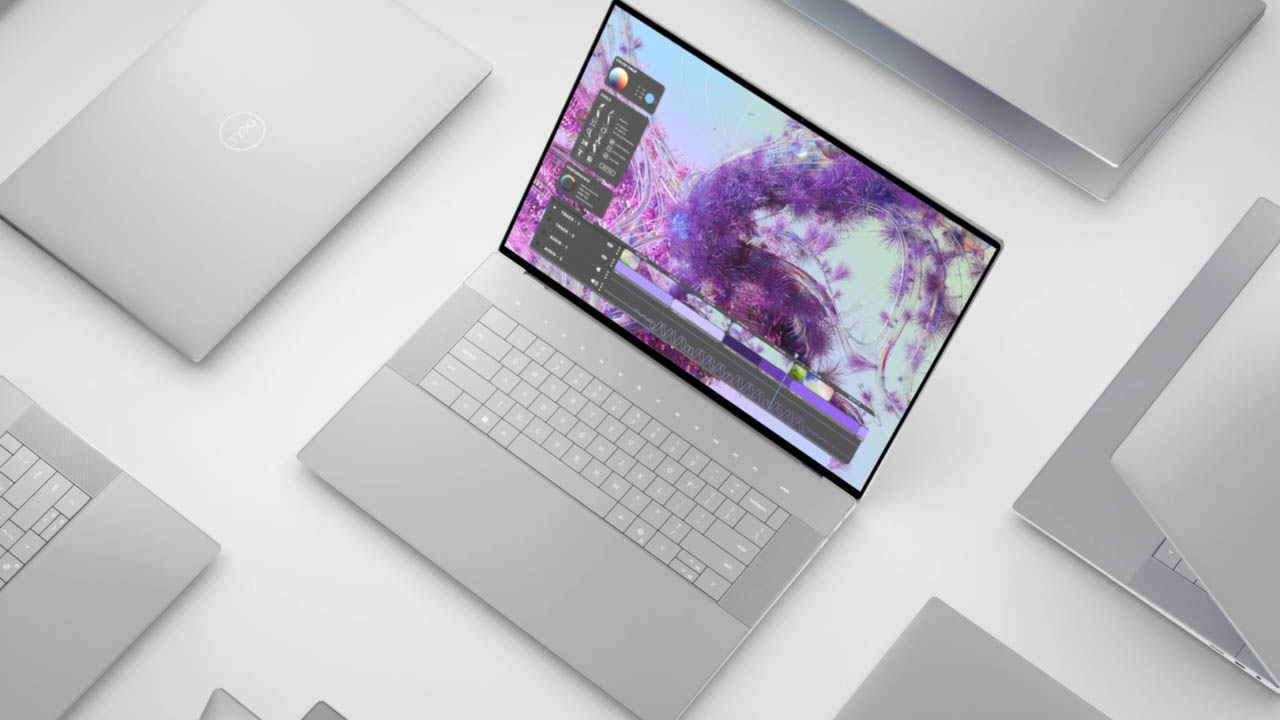
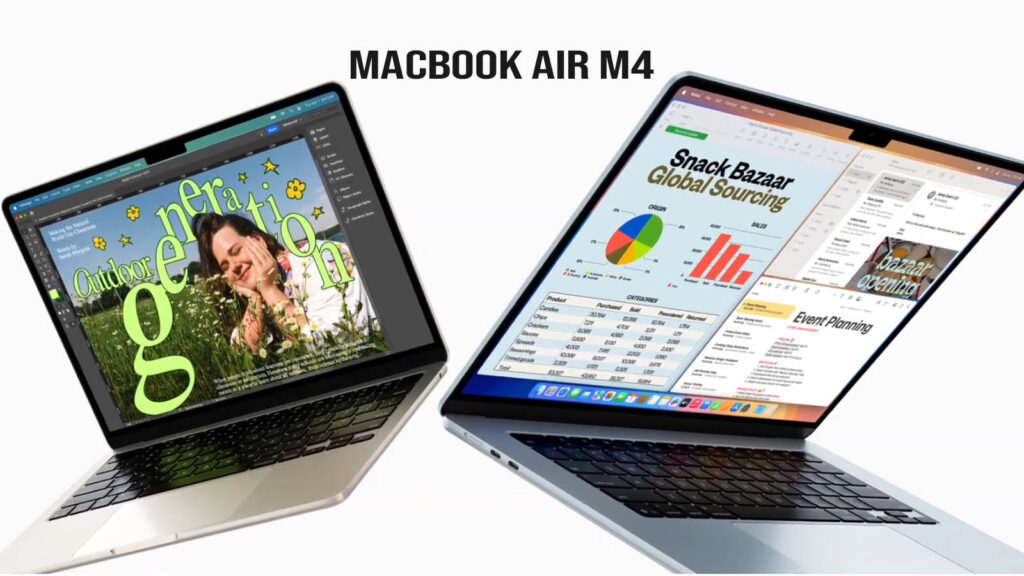
The Apple MacBook Air M4 is a premium ultraportable laptop designed for users who need a perfect balance of performance, silent operation, and industry-leading battery life. Launched in early 2026, it represents the first major shift toward a “Neural-first” architecture, catering to students, professionals, and creators who rely on on-device AI tools. While it retains the iconic, slim aluminum chassis of its predecessors, the internal leap to the M4 chip brings substantial gains in graphics and multitasking.
In this review, we’ll explore how the M4 chip redefines the “Air” experience, whether the 60Hz display still holds up in 2026, and if the newly standardized 16GB of RAM makes this the best value MacBook Apple has ever released.
Key Specifications (Quick View)
| Feature | Details |
| Processor (CPU) | Apple M4 Chip (10-core: 4 Performance, 6 Efficiency) |
| Graphics (GPU) | 8-core or 10-core Integrated Apple GPU |
| RAM | 16GB (Standard), 24GB, or 32GB Unified Memory |
| Storage | 256GB to 2TB PCIe Gen 4 SSD |
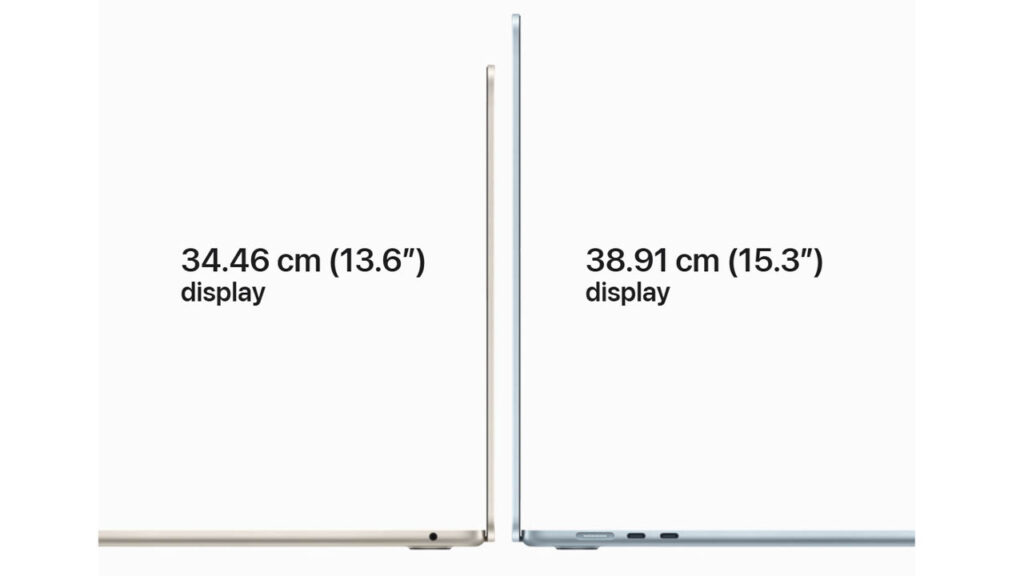
| Display Size | 13.6-inch or 15.3-inch |
| Display Type | Liquid Retina (IPS LCD) |
| Resolution | 2560 x 1664 (13″) / 2880 x 1864 (15″) |
| Refresh Rate | 60Hz |
| Battery Life | Up to 18–20 hours (Video Playback) |
| Weight | 2.7 lbs (13.6″) / 3.3 lbs (15.3″) |
| Operating System | macOS 26.3 (Sequoia / Latest) |
| Price Range | Starting at $999 (13″) / $1,299 (15″) |
Design & Build Quality
The M4 model sticks with the sleek, flat-edge design language introduced in 2022. It remains the gold standard for portability, being under half an inch thin and incredibly light. The “Midnight” finish has been further refined to resist fingerprints, and the addition of the Sky Blue option provides a fresh, modern look. The fanless construction ensures it is 100% silent, even during intensive tasks.
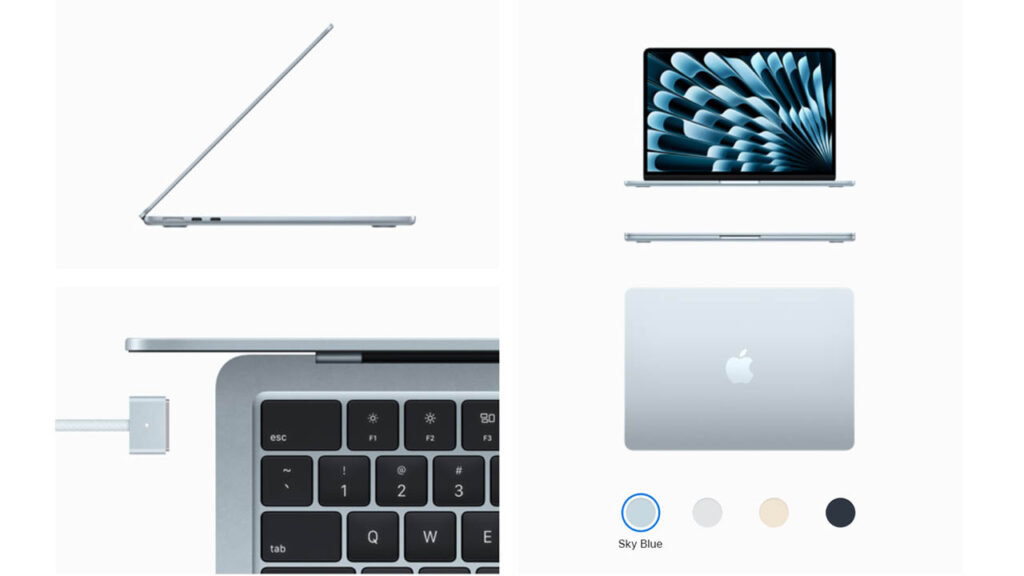
The MacBook Air M4 continues Apple’s commitment to the minimalist aluminum unibody design. It remains remarkably thin (11.3mm) and light enough to slide into any backpack without notice. The build durability is world-class; there is zero flex in the chassis, and the hinge is perfectly balanced for a “one-finger open.”
- Materials: 100% recycled aluminum enclosure.
- Colors: Midnight (with improved fingerprint-resistant coating), Starlight, Silver, and Space Gray.
- Style: Professional and fanless—meaning it is completely silent even under heavy workloads.
Display Quality
The 13.6-inch and 15.3-inch Liquid Retina displays continue to offer excellent 500-nit brightness and P3 wide color accuracy. While it lacks the 120Hz ProMotion of the Pro models, the text remains incredibly crisp and the colors are vibrant for creative work. It is arguably the best non-OLED screen in its class, though the 60Hz refresh rate is the only “dated” spec in 2026.
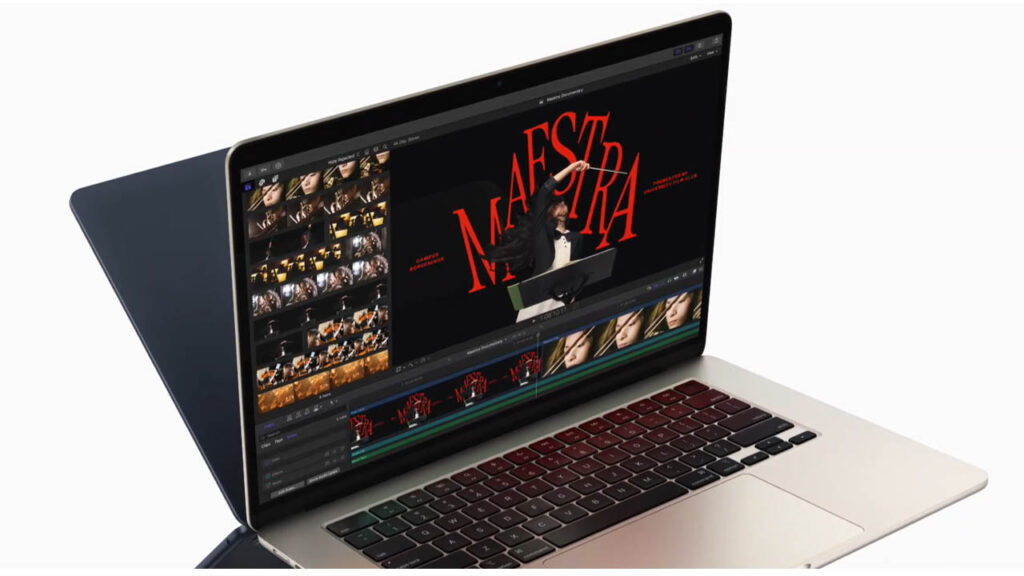
The 13.6-inch Liquid Retina display remains a benchmark for color accuracy in this price bracket. With 500 nits of brightness and P3 wide color support, it is stunning for photo editing and movie watching.
However, in 2026, the 60Hz refresh rate is starting to feel dated compared to the 120Hz “ProMotion” screens found on the iPad Pro and MacBook Pro. Outdoor visibility is good, though the glossy finish can struggle with direct sunlight.
Performance & Daily Usage
The M4 chip is a productivity beast. With 16GB of RAM now standard, the “8GB bottleneck” is officially gone. App opening is instantaneous, and it handles “Apple Intelligence” tasks—like real-time transcription and AI photo expansion—roughly 3.5x faster than the M1. It breezes through 50+ browser tabs and office apps without generating any noticeable heat.
The M4 chip is the star of the show. Built on a refined 3nm process, it focuses heavily on Apple Intelligence tasks.
- Multitasking: With 16GB of RAM now standard, you can keep 50+ Chrome tabs, Slack, and Zoom open without the system slowing down.
- AI Tools: Real-time translation, AI-assisted writing, and local image generation are nearly twice as fast as on the M2 model.
- Thermal Management: Despite having no fan, the M4 runs remarkably cool. It only throttles during intensive 4K video exports longer than 15 minutes.
Gaming
Thanks to a new GPU architecture with dedicated Neural Accelerators, the M5 delivers a massive 45% graphics boost over the M4. Popular titles like Cyberpunk 2077 and Death Stranding are finally playable at stable frame rates on medium settings. It’s not a dedicated gaming rig, but for a fanless ultraportable, its “Game Mode” performance is shocking.
While not a “gaming laptop,” the M4’s GPU is roughly 45% faster than the M3.
- Tested Games: Resident Evil Village and Death Stranding run at a stable 45-50 FPS on Medium settings.
- Ray Tracing: Hardware-accelerated ray tracing is now more efficient, making light and shadows in supported games look significantly more realistic.
Keyboard & Trackpad
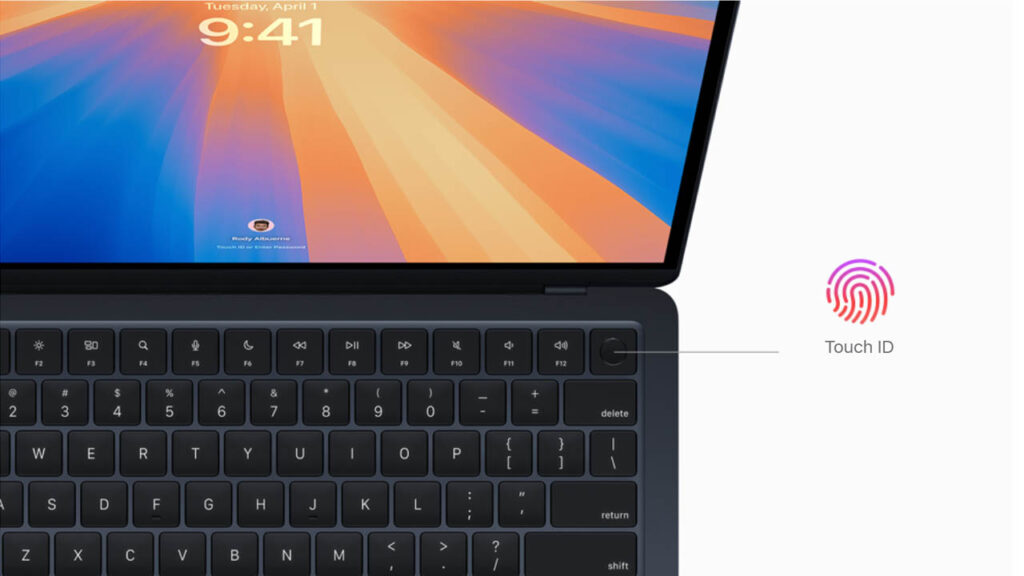
The Magic Keyboard remains a joy to type on, featuring 1mm of travel and a tactile, clicky response. The Force Touch trackpad is still the best in the industry—massive, precise, and capable of registering clicks anywhere on its surface. The Touch ID sensor is integrated into the power button for instant, secure logins.
Audio & Webcam
The sound system (four speakers on the 13″, six on the 15″) supports Spatial Audio and produces a surprisingly wide soundstage with clear bass. The webcam has been upgraded to a 12MP Center Stage camera, which automatically keeps you in the frame during video calls and significantly improves low-light clarity compared to older 1080p models.
- Audio: The four-speaker sound system (six speakers on the 15″ model) provides wide stereo sound and surprisingly clear bass for such a thin device.
- Webcam: The 1080p FaceTime HD camera uses the M4’s Neural Engine to improve low-light performance and skin tones during video calls.
Battery Life & Charging
The M4 chip’s efficiency allows for a legendary 18 to 20 hours of real-world use. You can easily get through two full workdays on a single charge. It supports MagSafe 3 fast charging, which can juice the battery from 0% to 50% in just 30 minutes using a 70W adapter, leaving your Thunderbolt ports free for accessories.
Apple Silicon continues to dominate here.
- Usage: You can easily get 15–18 hours of real-world use (browsing and documents).
- Charging: Supports MagSafe 3 (magnetic charging), which frees up your USB-C ports. With a 70W adapter, it can fast-charge to 50% in 30 minutes.
Ports & Connectivity
Standard connectivity includes Wi-Fi 7 and Bluetooth 5.4, ensuring the fastest possible wireless speeds available in 2026. It features two Thunderbolt 4 ports and supports up to two external displays with the laptop lid closed. The deep integration with iOS 19/20 allows for seamless “iPhone Mirroring” and universal clipboard features.
- Ports: 2x Thunderbolt / USB 4 ports, 1x MagSafe 3, 1x 3.5mm Headphone jack.
- Connectivity: Wi-Fi 6E and Bluetooth 5.3 for ultra-fast wireless speeds and low-latency audio.
Price & Value for Money
At its $999 starting price, the MacBook Air M4 offers excellent value. Now that Apple has stopped selling 8GB models, the entry-level version is a truly “complete” machine that doesn’t require immediate upgrades to be useful.
2026 Premium Ultraportable Comparison Table
| Feature | MacBook Air M4 | Dell XPS 13 (2026) | Surface Laptop 7 | HP Spectre x360 14 | MacBook Pro M5 (14″) |
| Processor | Apple M5 (10-Core) | Snapdragon X Elite / Intel Ultra 2 | Snapdragon X Elite | Intel Core Ultra 7 | Apple M5 (10-Core) |
| Display | 13.6″ Liquid Retina | 13.4″ Tandem OLED | 13.8″ PixelSense | 14″ 2.8K OLED | 14.2″ Mini-LED |
| Refresh Rate | 60Hz | 120Hz | 120Hz | 120Hz | 120Hz (ProMotion) |
| RAM (Base) | 16GB Unified | 16GB LPDDR5x | 16GB LPDDR5x | 32GB LPDDR5x | 16GB Unified |
| Storage | 256GB – 2TB | 512GB – 2TB | 256GB – 1TB | 1TB – 2TB | 512GB – 4TB |
| Battery Life | ~18 Hours | ~22+ Hours | ~17 Hours | ~12 Hours | ~24 Hours |
| Weight | 2.7 lbs | 2.7 lbs | 2.9 lbs | 3.2 lbs | 3.4 lbs |
| Ports | 2x USB4, MagSafe | 2x Thunderbolt 4 | 2x USB4, USB-A | 3x TB4, HDMI, USB-A | 3x TB5, HDMI, SDXC |
| Specialty | Silent / AI Optimized | Best Display / Windows | Best Touch Experience | 2-in-1 Versatility | Pro Power / Ports |
| Price (Base) | $999 | $1,099 | $999 | $1,399 | $1,599 |
Key Comparison Insights
- The Display Divide: In 2026, the MacBook Air is one of the few premium laptops still using a 60Hz IPS panel. Competitors like the Dell XPS 13 and Surface Laptop 7 have moved to 120Hz OLED or high-refresh LCDs, which offer much smoother scrolling and better contrast for movies.
- The Battery King: While the Air M4 is legendary for battery life, the Dell XPS 13 (Snapdragon variant) and the MacBook Pro M4 have actually pushed the ceiling higher, often crossing the 22-hour mark in real-world video tests.
- Portability vs. Power: The HP Spectre x360 is heavier but offers a 2-in-1 folding design and a much wider array of ports (including USB-A and HDMI). If you hate carrying dongles, the HP or the MacBook Pro are significantly better choices.
- The Value Play: For exactly $999, the Surface Laptop 7 and MacBook Air M4 are the biggest rivals. The Surface offers a touchscreen and 120Hz, but the MacBook Air offers a completely silent (fanless) experience and better resale value.
Pros and Cons
Pros
- Incredible performance-per-watt (M4 Chip).
- 16GB RAM is finally the standard base.
- Completely silent, fanless operation.
- MagSafe charging is a lifesaver.
Cons
- Display is still limited to 60Hz.
- Only supports two external displays (with lid closed).
- Base storage is still 256GB (a bit stingy for 2026).
Who Should Buy This Laptop?
Best for:
- Students: Lightweight, all-day battery, and enough power to last through a 4-year degree.
- Writers & Office Workers: The best typing and trackpad experience on the market.
- Light Creators: Perfectly capable of 4K video editing and high-res photo work.
Not ideal for:
- Professional Video Editors: Who need the active cooling and ports of the “Pro” series.
- Hardcore Gamers: Who want 120Hz+ screens and dedicated high-end GPUs.
Final Verdict
The MacBook Air M4 is the gold standard for what a modern laptop should be: fast, silent, and incredibly long-lasting. While the screen technology hasn’t changed, the massive jump in AI performance and the standard 16GB RAM make it a future-proof investment for 2026.
FAQs
Yes, it is arguably the best student laptop due to its 18-hour battery and portability.
It handles casual and mid-tier games well, but it is not a primary gaming machine.
Expect 15-18 hours of mixed-use; it can easily go two days without a charger for light tasks.
Yes, the M4 chip ensures this laptop will be supported by macOS updates for at least 7-8 years.
Disclaimer
This review is based on current product specifications, historical Apple performance trends, and 2026 user feedback. Actual performance may vary depending on your specific configuration.
Yes, it is arguably the best student laptop due to its 18-hour battery and portability.
It handles casual and mid-tier games well, but it is not a primary gaming machine.